Paleontology Features
Symbiota includes features to facilitate the management and mobilization of fossil specimen data. Some of these features can be activated on a per-collection basis, whereas others must be activated on a per-portal basis. This page describes these features and steps that a Portal Manager can take to activate them for a given Symbiota portal community.
Fossil specimens have distinct data requirements from recent biological ("neontological") collections. Prior to activating features for paleontological data mobilization and management in a Symbiota portal, Portal Managers are strongly encouraged to refer to the Paleo Data Knowledge Hub for discipline-specific guidance, which includes additional documentation about Symbiota. Likewise, Portal Managers are encouraged to refer portal users to these resources. Engagement with the Paleo Data Working Group (aka "PDWG") is also advised.
Introduction
A suite of features has been developed to facilitate the management and mobilization of fossil specimen data using Symbiota portals. If configured on a per-portal basis, the full suite of features outlined below will become available throughout the portal.
Data management
Paleo Module
The "Paleo Module" contains Darwin Core-compliant and Symbiota-specific data fields. The mechanics of entering geologic time-related data into this module is described in the Editor guide.
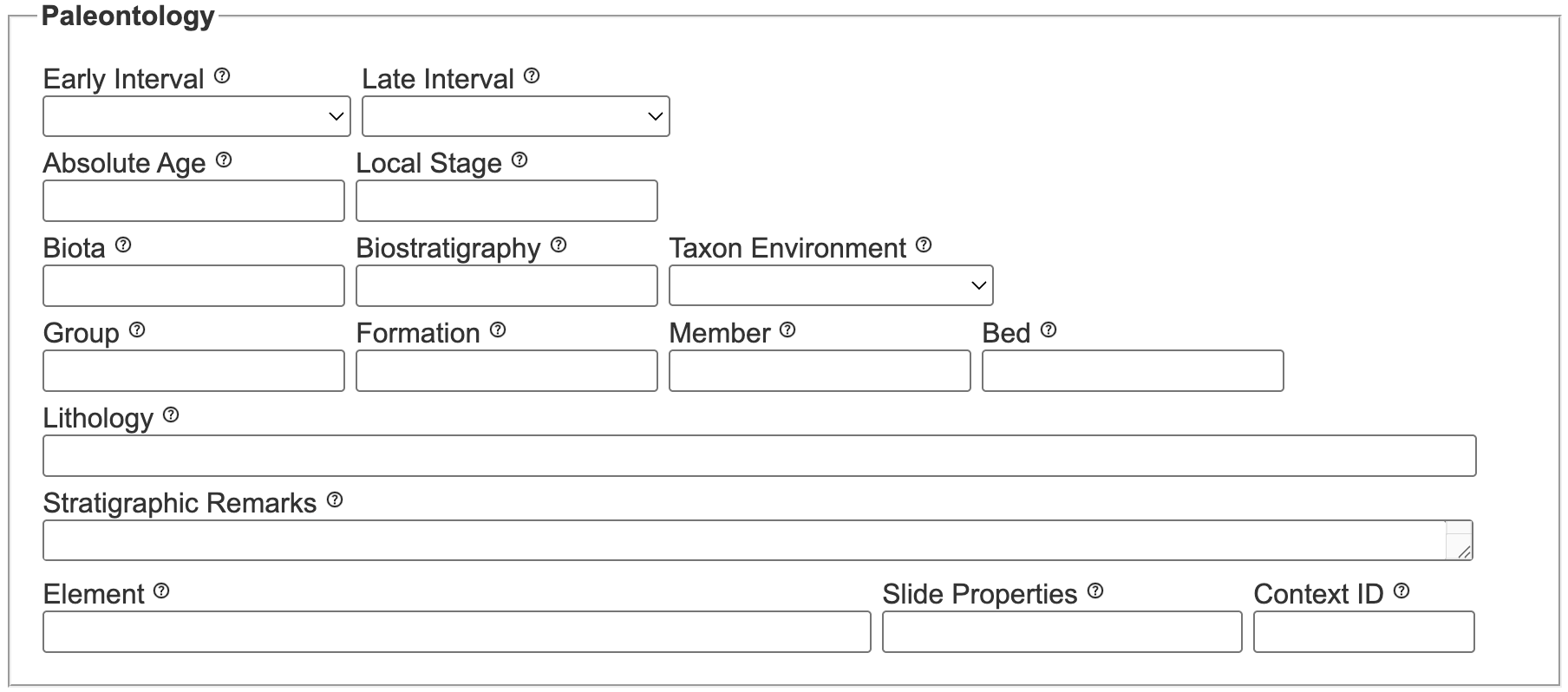
Data Upload Module
All paleontology-related fields can be bulk ingested using the Data Upload Module, e.g. from a spreadsheet or an IPT. Refer to the data import field documentation for more information about data formatting requirements and specific data types (text, integer, etc.) that can be ingested into each one. Data loaded into the Upload Module destined for the Paleo Module can be previewed in the user interface as well as in the uploadspectemp table.
Basis of Record
All occurrence records that represent fossil specimens must be cataloged such that Basis of Record = Fossil Specimen. Thus, for portals where the full suite of paleontology data management features are activated, FossilSpecimen will become the default setting for Dataset Type when a new Collections Profile is created. In turn, all new occurrence records that are cataloged into a Collection Profile where Dataset Type = Fossil Specimens, all records will contain Basis of Record = FossilSpecimen. A Portal Manager can manually change Dataset Type to PreservedSpecimen on a per-collection basis through the Metadata Editor if necessary/appropriate.
Portal Managers should take care to ensure that Dataset Type is appropriately configured when creating new Collection Profiles. Further, a given Collection Profile should only be used for cataloging extant OR extinct (fossil) specimen occurrences; in other words, commingling catalog records with variable Basis of Record values in the same Collection Profile is not recommended.
Data Editor search form
All paleontology-related fields can be queried using the Data Editor search form (accessible from the Data Editor Control Panel > Edit Existing Occurrence Records). Paleontology fields that are visible in the Data Editor search form’s table view can also be edited using the associated Batch Update tool.
Data discoverability
Public search forms
Some fields associated with the Darwin Core class GeologicalContext can be queried using the publicly available search form and map search interfaces, as shown below. Instructions for using these public search tools is available in the User Guide.
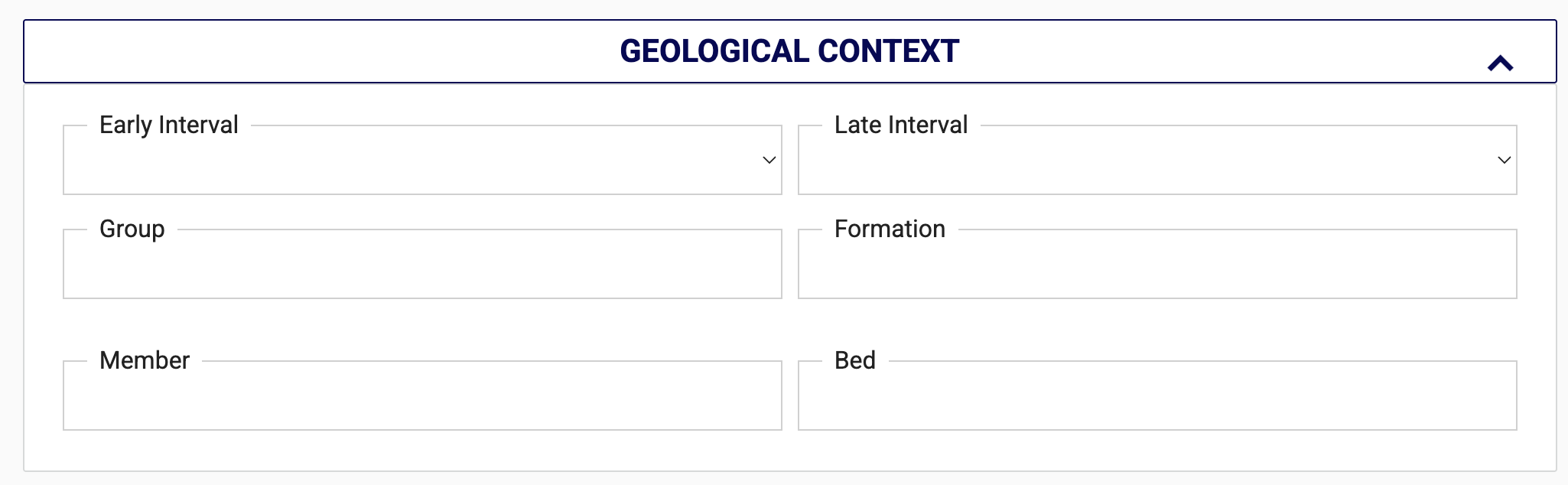
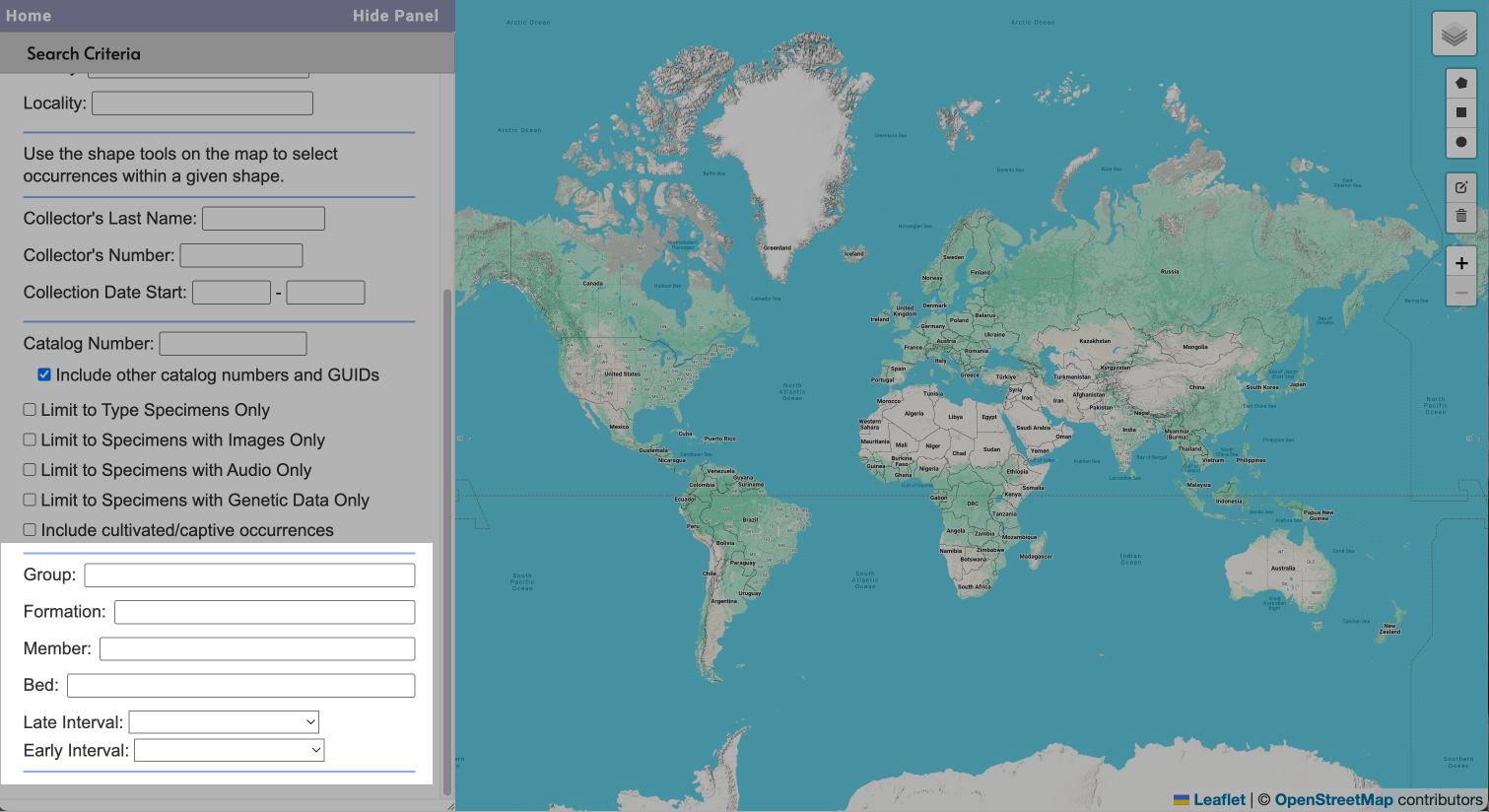
Public query results and record display
Public query results can be viewed and sorted in List or Table view, and several paleontology-related data will be visible in record previews.

Paleontology-related fields will be visible through the Public Display for individual catalog records under the heading, "GEOLOGICAL CONTEXT", and values entered for Element will display directly above this section. For example:
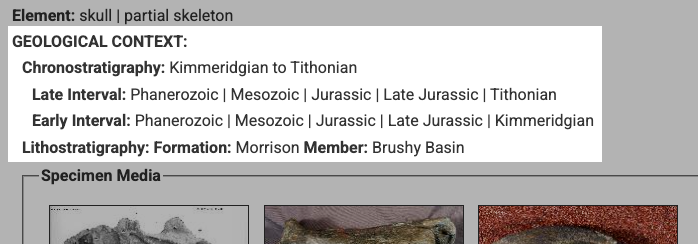
Data export and publishing
Data from all paleontology-related fields can be exported to backup data files by Collection Administrators, but only Darwin Core-compliant fields will be exported and published to Darwin Core Archives.
Geologic map layer
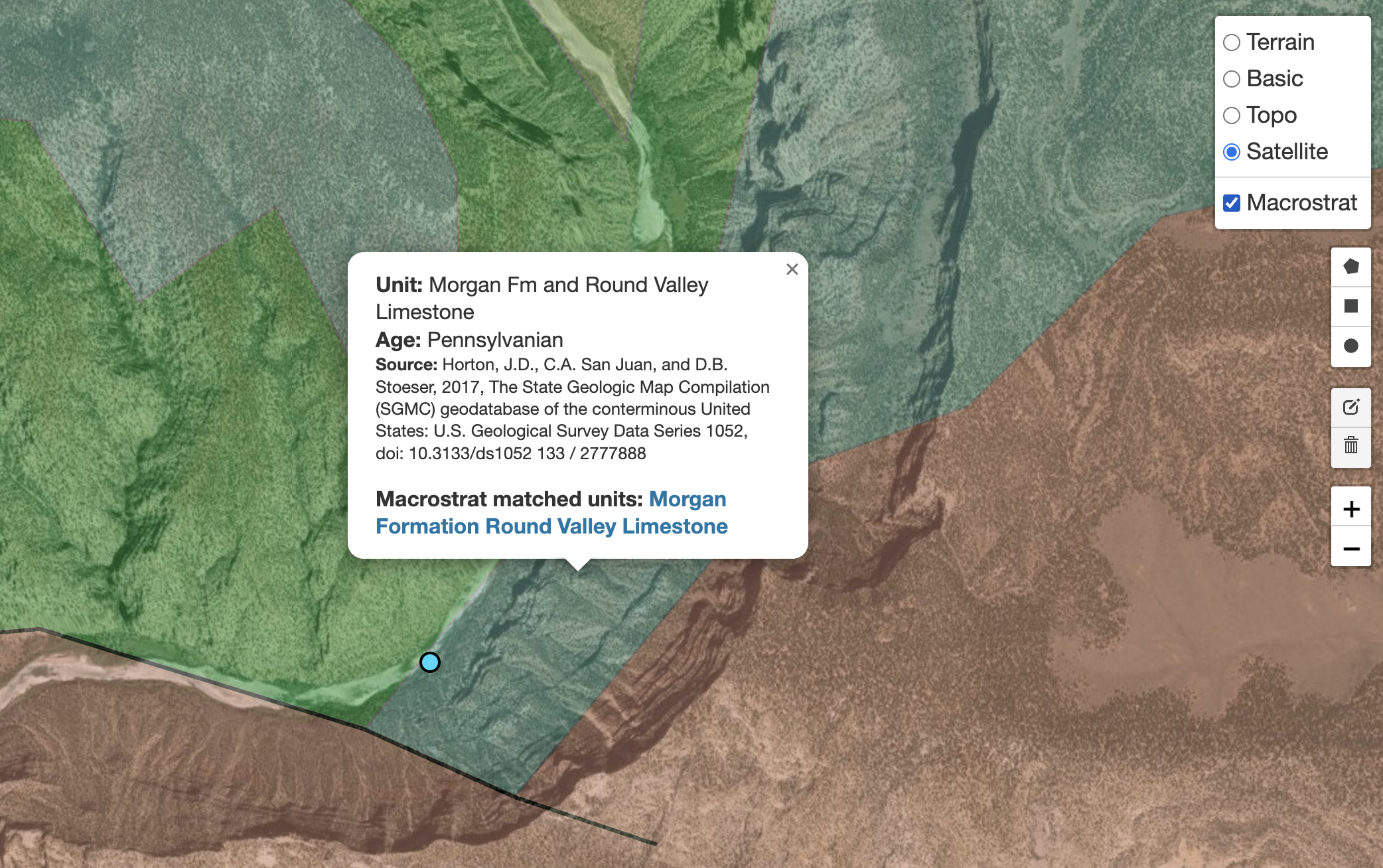
All mapping interfaces will display a geologic map layer made available using the Macrostrat API.
Vocabulary configuration
Chronostratigraphic data
A controlled vocabulary of chronostratographic terms is maintained in the omoccurpaleogts table. By default, this table is populated with values from the GBIF GeoTime Vocabulary, which is based on the International Commission on Stratigraphy's Chronostratigraphic Chart. These values are recommended for use to maximize the interoperability of data within your portal, as well as with data in external aggregators.
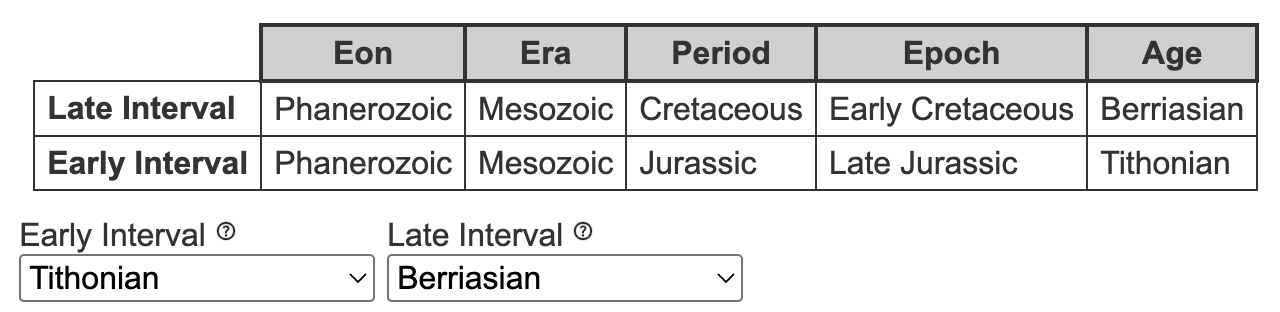
Similar to how a portal’s Taxonomic Thesaurus helps standardize higher taxonomy, this table exists to standardize data associated with geologic time. Specifically, it is used to backfill hierarchical values associated with the fields, Early Interval and Late Interval. For example, if a user enters Early Interval = "Tithonian", the omoccurpaleogts table will associate this value with the appropriate Eon, Era, Period, and Epoch values. The mechanics of entering geologic time-related data is described in the Editor guide.
Taxon environment
An additional controlled vocabulary exists for the field, Taxon Environment. Values for this vocabulary are currently hard-coded into Symbiota and cannot be modified using the table, ctcontrolvocabterm.
Feature activation
Whole portal configuration
All Symbiota features associated with the management of fossil specimen data can be activated on a per-portal basis (i.e., made active for an entire portal) through configuration of the portal’s symbini.php file. Further consideration should be given to the associated controlled vocabularies prior to feature deployment across a given portal.
For portals that are primarily used to maintain recent biological specimen data, activation of Symbiota’s various features for managing and publishing fossil specimen data is not recommended unless the community has agreed to commingle these data (including the taxonomy of extinct and extant organisms) within their portal.
Paleo Module activation per collection
The Paleo Module can be activated on a per-collection basis (i.e., without activating all other paleo features in the portal) by a Portal Manager by editing a Collection Profile's metadata (set Dataset Type="Fossil Specimen"). If this module is activated on a per-collection basis, functionality will be limited to the visibility of this module on the Occurrence Editor form, and only for Collections Profiles where it has been activated; however, data entered into this module can only be accessed (queried, downloaded, etc.) by downloading a backup data file (a function only available to users with Administrator permissions). Activation of this module on a per-collection basis will enable data publishing.
Acknowledgments
Tools for aggregating fossil specimen data using Symbiota were initially developed as part of NSF Award #1802504. These features were subsequently enhanced and expanded to include support for active (live) management and publishing of fossil specimen data as collaboration between the Symbiota Support Hub, the US National Museum of Natural History, and University of Colorado at Boulder (NSF Awards #2324688, #2324689, and #2324690/2525603).